Import Spaces Package
Download Dependencies
- Open Windows -> Package Manager.
- Click on Unity Registry in the top-left corner.
- Search for Addressables and click Install. (You can ignore this step if you have already installed it)
Import Spaces Plugin
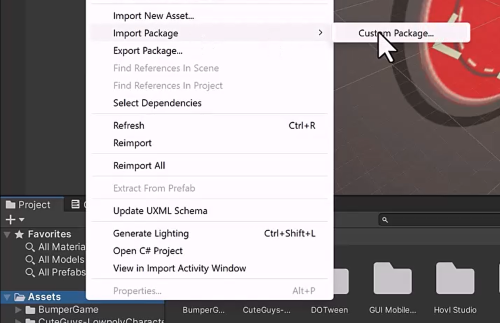
- Right-click on Assets -> Import Package -> Custom Package.
- Select the Spaces Package and import all its contents.
- If you already have installed Text Mesh Pro, You can uncheck that package alone.
Next...
We will proceed with a basic lifecycle integration of the Spaces Engine into your game.